

The Lie of the “Instagram Desk”
I have a confession to make. I absolutely despise those perfectly curated, sun-drenched desk setups you see on Pinterest and Instagram. You know the ones.
There is a MacBook, a single ceramic vase holding a dried eucalyptus branch, and a cute little lamp. That’s it.
Where is the charger? Where is the monitor cable? Does this person not own a printer? It is a lie.
They unplugged everything for the photo.
Real life is messy. Real life requires electricity. If you are actually working at that desk, you are plugging things in, and suddenly that serene minimalist vibe looks like a snake pit exploded in a RadioShack. I have spent 15 years designing spaces, and I can tell you that cable management is the unsexy, gritty underbelly of good interior design.
It is the difference between a room that feels “zen” and a room that feels like a storage unit.
If you are trying to cultivate a specific aesthetic—perhaps that moody Japandi look where shadows and clean lines are king—a white power strip snaking across the floor is going to ruin it. Instantly.
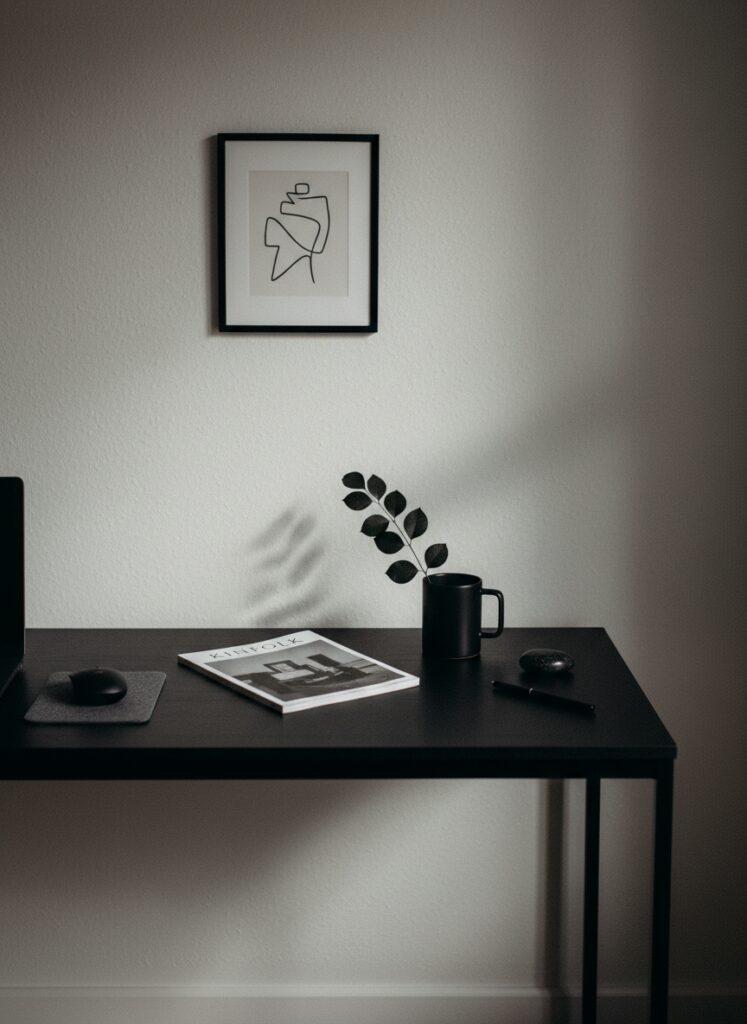
You cannot have visual silence with electrical noise.
Why Your Brain Hates Cords
This isn’t just me being a perfectionist. It is psychological.
We often talk about using specific colors, like deep blues, to foster anxiety relief in a home office. We paint the walls, we buy the soft rug. But if your peripheral vision is cluttered with tangled black and white plastic vines, your brain registers it as chaos.
It creates low-level stress.
Think about the “broken plan” living room layouts that are so popular right now. We pull furniture away from the walls to create flow.
But when you float a desk in the middle of a room, you expose the back. The ugly side.
Suddenly, that “floating” furniture arrangement becomes a liability because you have nowhere to hide the mess. The cables hang down like entrails. It is gross. It destroys the illusion of space and organic flow.
So, how do we fix it without throwing our electronics in the trash? We have to get aggressive.
The Strategy: Control, Conceal, Camouflage
You need a plan. You cannot just shove wires behind the desk and hope for the best. That is not management; that is denial.
1. The Under-Mount Mandate
If you can see a power strip, you have failed.
The most important step is getting the power source off the floor. Gravity is your enemy here. You want to mount a tray or a basket to the underside of your desktop.
This is where the quality of your furniture matters. If you bought affordable, sustainable furniture made of solid wood, you are in luck. You can screw a metal tray directly into the underside of the desk. It is secure. It is permanent.
If you are working with a hollow-core door on trestle legs or cheap particle board, screws will rip right out. You’ll need heavy-duty, double-sided mounting tape. But be warned: that tape is stronger than the laminate finish. It will stay there forever.
Once the power strip is mounted upside down under the desk, you plug everything in there. The only cable touching the floor should be the single thick cord from the power strip to the wall outlet.
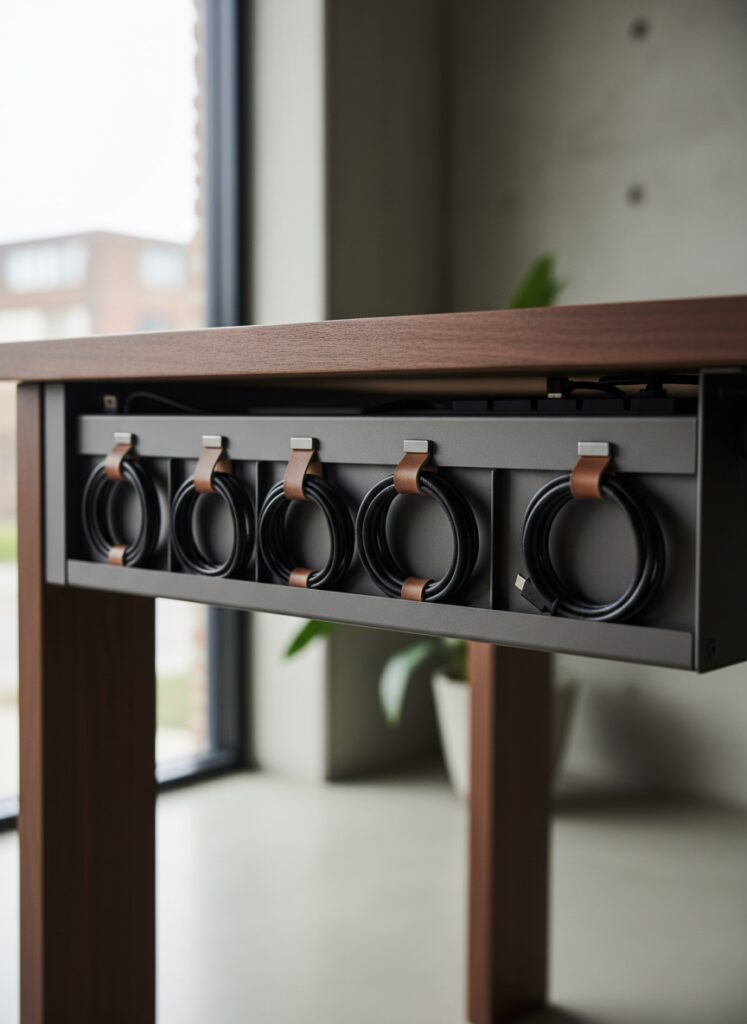
2. The “Umbilical Cord” Solution for Floating Desks
If your desk is floating in the center of a studio apartment—perhaps you are using micro-zoning techniques to separate work from sleep—you cannot hide the cord against a wall.
It has to traverse the open floor.
Do not let it snake. It looks temporary and sloppy.
You have two options. Ideally, you run it under a rug. But not just any rug. A thick, textured rug works best to mask the lump. If you are into monochromatic design, use the texture of the rug to hide the “bump” of the cable.
If a rug isn’t an option, you need a cable sleeve. But don’t buy the cheap neoprene ones. Look for a braided sleeve that matches your flooring color. Or, go bold.
If you are utilizing a 60-30-10 color rule, make that cable sleeve part of your 10% accent. If you have terracotta and sage green vibes going on, a stark black cable looks like a mistake. A braided copper or dark green sleeve looks like a choice. Intentionality is the antidote to mess.
3. Vertical Integration and “The Leg Hack”
Vertical storage secrets aren’t just for bookshelves; they apply to cables too.
The legs of your desk are the highway. You must route traffic along them.
Use Velcro ties—never zip ties, I’ll explain why later—to strap the cables tightly against the back of the desk leg. If the leg is metal, use magnetic cable clips. They are brilliant.
If you are a renter and cannot drill into walls or modify furniture heavily, this is your best friend.
For those of you with those trendy curved furniture pieces or organic shapes, straight lines of cables can look jarring. You have to trace the curve. Use adhesive clips to guide the wire along the silhouette of the furniture so it vanishes into the form.
4. The Lighting Temperature Trap
Let’s talk about the gear itself. You have monitors, drives, and likely a desk lamp.
Lighting dictates the vibe. If you are struggling with a dark ceiling paint trend—which looks incredible, by the way—you need task lighting that doesn’t wash out the mood.
Many people buy LED strips to stick on the back of their monitors for “bias lighting.” This reduces eye strain and hides shadows where dust bunnies (and cables) live.
But pay attention to the temperature. A cool white light creates a clinical, hospital feel that clashes with warm wood tones. A warm white bulb or strip (2700K-3000K) feels cozy.
Also, consider the cord on the lamp itself.
Renter-friendly lighting hacks often involve swapping out ugly fixtures, but for a desk lamp, you are stuck with the cord it came with. If the cord is ugly plastic, wrap it. You can buy jute twine or colored yarn and wrap the cord to give it texture. Suddenly, that plastic wire fits your biophilic design aesthetic perfectly. It looks like a vine, not a power cord.

5. Hiding the “Smart” Clutter
Smart speakers are the worst offenders. They are round, awkward, and have a tail.
If you have a vintage decor theme, a white plastic puck looks alien. I wrote about hiding smart speakers before, but it bears repeating here: camouflage them.
For more about this topic, read: Hiding Smart Speakers in Vintage Decor
Don’t leave the hub sitting on the desk surface. Mount it under the desk with the power strip. Or, hide it behind a stack of books.
If you need the speaker exposed for voice commands, lean into the “fake entryway” concept but for your desk. Create a small vignette—a tray, a plant, a framed photo—and nestle the tech inside it so the wire runs immediately behind the photo frame and down.
Visual obstruction is cheaper than wireless charging.
Where People Screw This Up (Don’t Do This)
I see the same three mistakes over and over again. They make me want to scream.
The Zip Tie Death Grip
Do not, under any circumstances, use plastic zip ties.
Why? Because you will buy a new mouse. You will need to move your monitor two inches to the left. You will want to take your laptop charger with you on a trip.
If you have zip-tied everything into a permanent bundle, you need scissors and five minutes of frustration to change anything. It creates friction. You will stop managing your cables because it is “too hard” to undo.
Use Velcro rolls. Cut them to size. They are reusable, soft (won’t scratch your desk legs), and forgiving.
The “Too Short” Tragedy
You measured the distance from the monitor to the PC, and it’s 3 feet. So you bought a 3-foot cable.
Rookie move.
A 3-foot cable travels in a straight line. It cuts across the air like a clothesline. It looks terrible.
To manage cables, you need slack. You need the cable to go down from the monitor, across the back of the desk, and up to the PC. You need right angles. You need to route it along the furniture’s skeleton.
Always buy cables 2 to 3 feet longer than the straight-line distance. You can always loop the excess and hide it in the under-desk tray. You cannot stretch a short cable.
Ignoring the Wall Color
This drives me crazy. You have a beautiful, moody maximalist apartment with deep navy or charcoal walls.
And then you run a stark white ethernet cable along the baseboard.
It sticks out like a sore thumb. It ruins the immersion.
If you have dark walls, buy black cables. Or paint the cable. Yes, you can paint cables. Use a primer first.
Or, use a cable raceway (those plastic covers) and paint the cover the exact same color as your wall paint. If you are using mirrors to make a small room look bigger, be careful—mirrors double the clutter. If your cable mess is visible in the reflection, you have twice the mess. Check your angles.
The Final Loop
Cable management is not about buying expensive wireless gear. It is about geometry and patience.
It is about respecting the design of your room enough to not let a $5 plastic wire dictate the focal point.
Get a drill, get some Velcro, and get on the floor. Your anxiety will thank you.